
Last updated: 15 September 2026. This troubleshooting guide was verified against the official Serbian eVisa portal on this date by our editorial team.
Most Serbia eVisa system error types, including login failures, upload rejections, session timeouts, CAPTCHA blocks and website downtime, can be fixed by clearing browser cookies for the portal, enabling JavaScript, using Chrome or Firefox, and saving your application progress frequently. If an error persists after these steps, check application status at the portal’s My Requests page before retrying payment or submission.
To prevent a Serbia eVisa system error during your application, ensure your eID account is active and verify your documents meet the portal requirements before starting. The portal accepts PDF for documents and JPG or PNG for photographs.
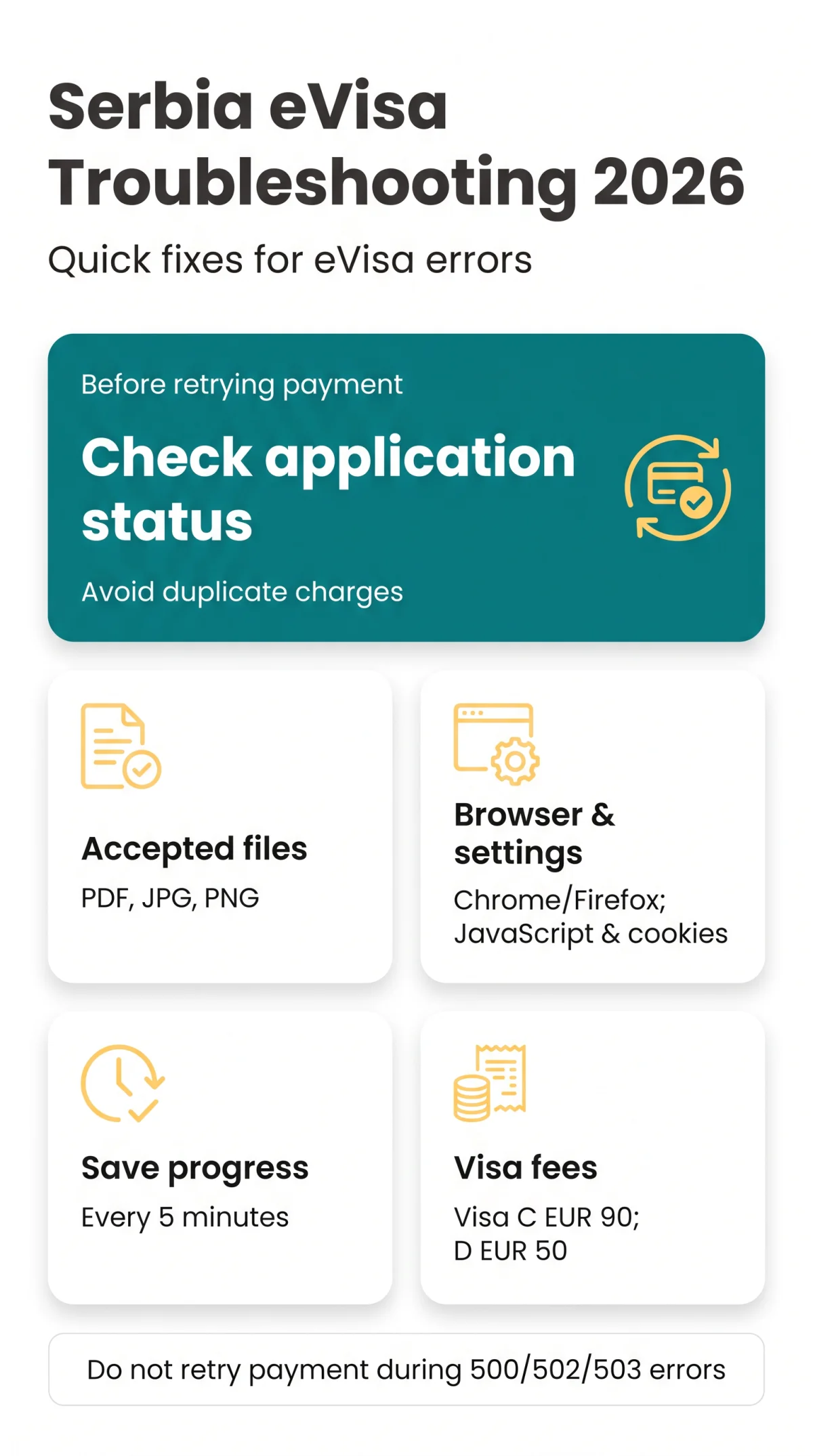
If you encounter a Serbia eVisa system error, do not immediately retry submitting your application or making a payment. Check your application status first to avoid duplicate charges and data loss.
Common Serbia eVisa System Errors and Prerequisites
The Serbia eVisa portal at evisa.welcometoserbia.gov.rs produces five error types. Before troubleshooting, verify your browser, eID account, and document prerequisites.
UK applicants most frequently encounter these five Serbia eVisa system errors on the portal:
- Login failures – invalid credentials, inactive eID, or expired session cookies blocking portal access.
- Upload failures – document or photo rejections caused by unsupported file formats or non-compliant documents.
- Session timeouts – inactivity-triggered expiry that discards unsaved form data without warning.
- CAPTCHA errors – verification widget failing to load or rejecting valid input.
- Website downtime – server errors (500/502/503) during maintenance windows or high-traffic periods.
To prevent system errors, confirm these prerequisites before applying:
- Browser: Use Chrome or Firefox with JavaScript and cookies enabled.
- eID account: An active Serbian eID registered at eid.gov.rs is mandatory before the portal accepts any login.
- Documents ready: Passport issued within the past 10 years, valid at least 90 days beyond departure, with at least 2 consecutive blank pages.
- Internet connection: Stable connection to avoid mid-session interruptions.
Login and CAPTCHA Errors
Verify your eID account first
Serbia eVisa system errors on login frequently originate from an unregistered or inactive Serbian eID. Confirm your account at eid.gov.rs before attempting to access evisa.welcometoserbia.gov.rs. The e-Visa system launched in April 2025, so accounts created before that date may require re-registration.
Clear cookies and cache
Serbia eVisa system errors involving expired session cookies prevent re-authentication even with correct credentials. Clear your browser cache for the portal domain, then reload the page in Chrome or Firefox with JavaScript enabled.
Troubleshoot OTP delivery
If the OTP does not arrive, check spam; international SMS routing from Serbian servers can delay delivery to UK numbers. Request a new OTP after waiting two minutes.
Run the CAPTCHA diagnostic checklist
If the verification widget fails to load or rejects valid input: disable any active VPN, whitelist *.welcometoserbia.gov.rs in your ad-blocker, confirm JavaScript is enabled, and synchronise your device clock. CAPTCHA failures block all portal functions until resolved.
Escalate persistent failures
If login or CAPTCHA errors persist after all steps above, report the Serbia eVisa system error via the support section covering electronic services at welcometoserbia.gov.rs/help.
Upload Failures and Session Timeouts
Upload errors accept PDF (documents) and JPG or PNG (photos). Portal sessions expire after inactivity, discarding unsaved form data without warning.
The most common generic error message is “An error occurred. Please try again later.” with no stated cause, often due to server timeout or unsupported file format. Verify your documents meet portal requirements before re-uploading: passports must be issued within the past 10 years, valid 90+ days beyond departure, with at least 2 consecutive blank pages. Use the documentation discovery tool at welcometoserbia.gov.rs/discovery-tool to confirm correct file types.
| Error Message | Likely Cause | Fix |
|---|---|---|
| An error occurred. Please try again later. | Server timeout or unsupported file format | Convert file to PDF or JPG/PNG; retry upload |
| Upload failed. | File exceeds size limit (not officially published) | Compress file; re-upload |
| Session expired. | Inactivity timeout | Re-login; check saved draft |
Serbia eVisa system errors such as unexpected session timeouts force travellers to restart their application. To recover: save your draft, check application status at evisa.welcometoserbia.gov.rs/myrequests/index, then re-login and resume. Save progress manually every 5 minutes to prevent data loss.
Website Downtime and Payment Errors
Serbia eVisa portal HTTP errors 500, 502, and 503 indicate maintenance or outages, so never retry payments during these periods to avoid double charges.
Full portal outages correlate with infrastructure upgrades. A 19 March 2025 cooperation protocol initiated migration of the Visa Information System to state data centers in Belgrade and Kragujevac, which can trigger planned maintenance windows. Source: MFA cooperation protocol, accessed 15 September 2026.
| HTTP Code | Meaning | Action |
|---|---|---|
| 500 | Server error | Wait 10 minutes, then reload |
| 502 | Bad gateway | Retry after clearing cache |
| 503 | Maintenance mode | Check status later; do not submit |
Visa C costs EUR 90 and Visa D costs EUR 50, both charged in Serbian Dinar (RSD) at the National Bank of Serbia middle exchange rate. If a payment fails, do not retry before checking evisa.welcometoserbia.gov.rs/myrequests/index to confirm whether the application was already saved and the fee deducted. For unresolved Serbia eVisa system errors, escalate via the help page at welcometoserbia.gov.rs/help, which covers electronic services inquiries.
FAQ
Is the Serbia eVisa portal down right now?
Check the help page at welcometoserbia.gov.rs/help for service status updates. Try accessing both the evisa.welcometoserbia.gov.rs and eforeigner.welcometoserbia.gov.rs modules separately to determine if the issue is isolated to one section or affects the entire portal infrastructure.
Why does the Serbia eVisa system say “An error occurred. Please try again later”?
This generic Serbia eVisa system error often appears due to server overload, session expiry, or a file upload timeout. Clear your browser cookies, verify your internet connection, and attempt the action again after a few minutes.
How long does the Serbia eVisa session last before it times out?
Not officially published. Save your work every five minutes as a precaution to prevent data loss from a Serbia eVisa system error.
Can I check my Serbia eVisa application status after a system error?
Yes, you can verify if your application was saved by visiting the application status tracking page at evisa.welcometoserbia.gov.rs/myrequests/index. This page is available at any time to check your application status after a technical interruption.
What file formats does the Serbia eVisa portal accept?
The Serbia eVisa portal accepts PDF files for documents and JPG or PNG formats for photographs. Specific file size limits are not officially published, so test your file sizes before uploading to prevent a system error.
What browsers work best with the Serbia eVisa system?
Use Chrome or Firefox with JavaScript and cookies enabled to prevent a Serbia eVisa system error during the application process.
What should I do if I was charged twice for my Serbia eVisa?
Do not retry the payment immediately. First, check your application status at evisa.welcometoserbia.gov.rs/myrequests/index to confirm the initial transaction. If a duplicate charge occurred, contact the portal support section for electronic services inquiries with your transaction reference numbers.
Do UK passport holders need a Serbia eVisa?
UK citizens can enter Serbia visa-free for up to 90 days in any 180-day period. A Serbia eVisa is only necessary for longer stays or for specific visa-required nationalities. The standard Visa C application fee is EUR 90, while Visa D costs EUR 50.
This is an independent informational guide for travellers. It is not affiliated with the Serbian government. Always verify all visa requirements on the official portal evisa.welcometoserbia.gov.rs before applying. Our editorial team reviews this troubleshooting guide every 90 days against the official portal and updates the article when the Serbian authorities change system behaviour.